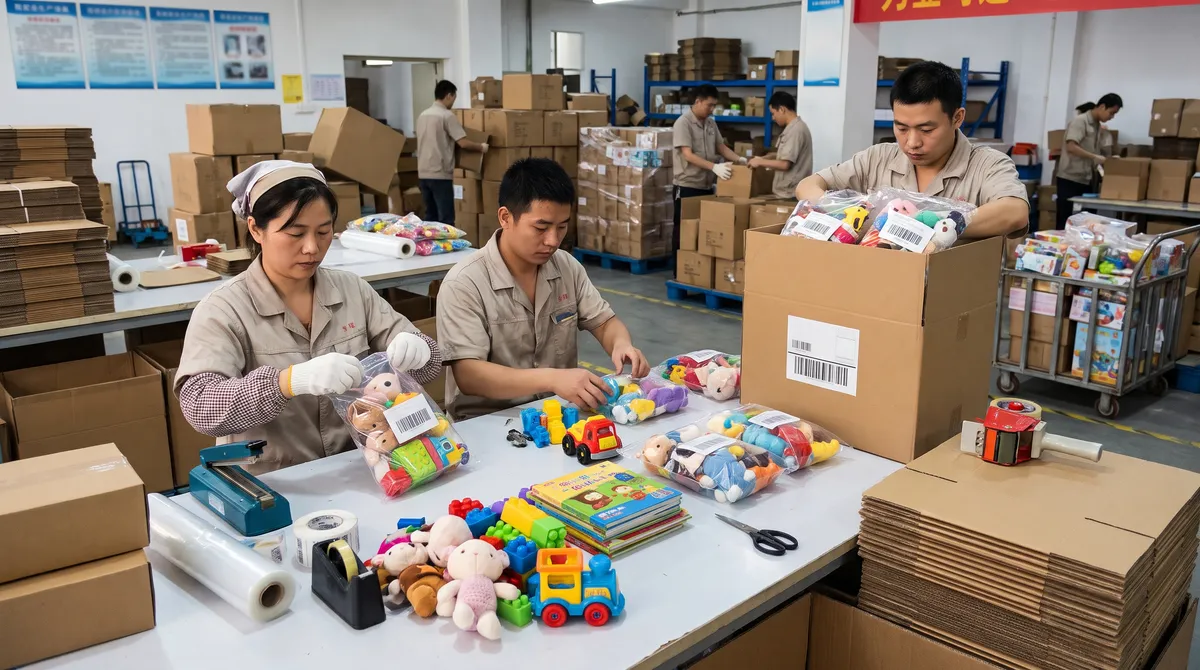

A toy bundle can fail on three fronts at once: policy, packaging, and fulfillment economics. I have seen brands lose margin on badly built bundle toys for Amazon FBA.
I based this guide on an origin-side SOP teardown, a packaging and compliance review, and an anonymized client bundle redesign. That redesign cut receiving defects by 30% and saved $0.47 per unit in FBA fees.
You will learn how to factory-pack a physical toy set for Amazon FBA with fewer receiving defects and tighter fee control. This is an advanced operations guide for brands sourcing from China, not a beginner primer.
Key Takeaways
- Lock one master bundle unit before tooling. Ship a factory-packed hard kit, not a seller repack, so the set leaves China as one ASIN with one scannable outer barcode.
- Build a component-by-component compliance matrix. Once the mold is cut, every missing line becomes costly rework.
- Test the full packed bundle, not just the hero item. One silicone teether or wooden block can change the warning set, age grade, and the documents Amazon expects.
- Design the packed unit to the target FBA size tier. Measure the finished bundle three times; a small side increase can cross a fee bracket.
- Lock the listing and the barcode map early. One scannable outer code, with inner component barcodes hidden behind the tray.
- Seal and scan at origin, not in a US 3PL. A 2 mm label wrinkle can fail 1 in 25 scans at receiving.
- Release only after the QC gate. Run critical defects at AQL 0, a clean scan pass, and a drop test before container pickup.
Prerequisites
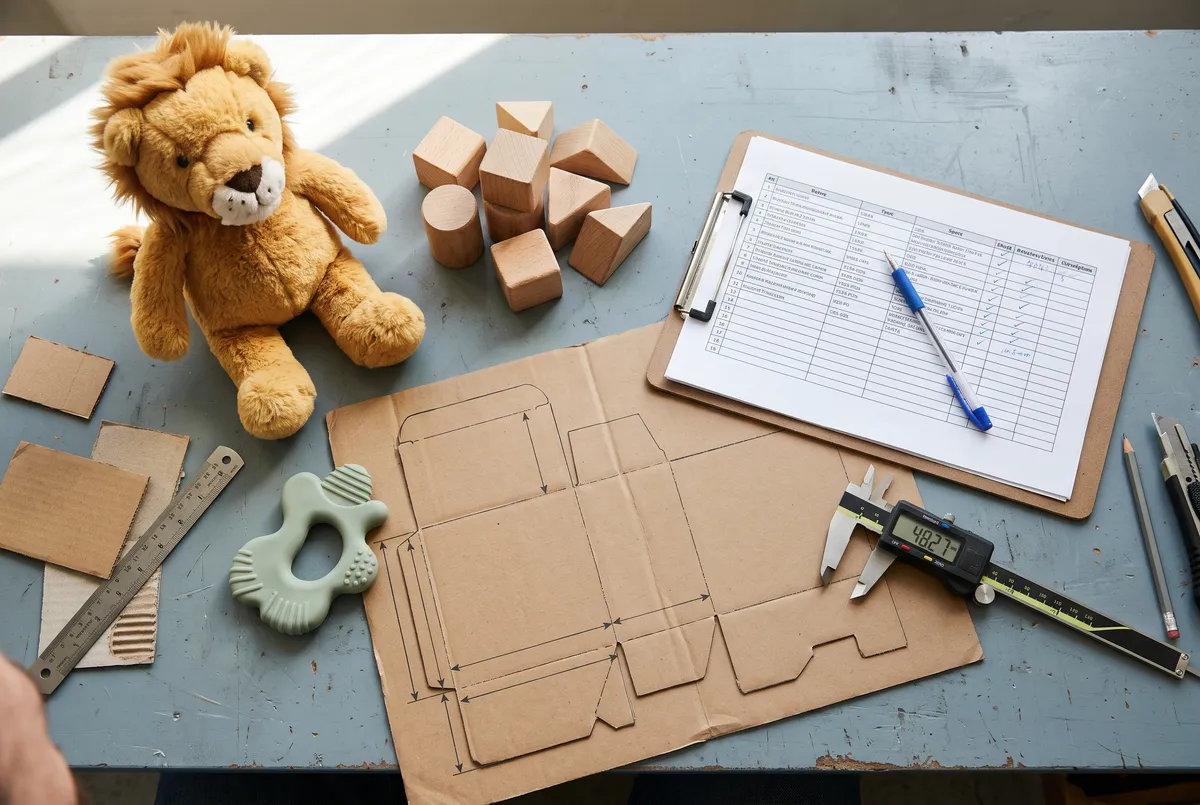
Vetted against Amazon FBA, CPSC rules. Lock inputs before Step 1.
Inputs:
- BOM for every component. One missing insert added 22% to a bundle's landed cost.
- Target age grade. The most restrictive part sets test scope.
- Packaging dielines or dimensions.
- FBA size tier.
- Carton constraints: weight, dimensions, drop-test limits.
- Seller Central access: admin or inventory/pricing permissions.
- UPC/GTIN status: valid and scannable.
- Samples: one pre-production unit per component.
Roles: sourcing lead, packaging engineer, compliance lead, Seller Central operator.
Timeline: concept (1w) → compliance scoping (3–5d) → lab testing (1–3 weeks) → samples (2w) → pilot (1w) → release.
⚠️ Safety/compliance:
- Clear small-parts exposure before infant or under-3 bundles.
- Do not mix age grades. The most restrictive part changes warnings and test scope.
- One certificate or photo set will not cover a mixed-material bundle.
Verify current rules at the Amazon Children's Toys policy, Amazon FBA packaging and prep requirements, the CPSC tracking label guidance, and the CPSC toy safety requirements.
Execution: Physical hard-kit at origin is primary; virtual bundles are the alternative for Brand Registry accounts. For the testing side, see our toy safety standards.
🚀 Actionable Insight: Lock BOM, age grade, and compliance owner before samples. Prevent late-stage rework.
Bundle Toys for Amazon FBA: Expert 6-Step China Factory SOP
Ship retail-ready sets as you bundle toys for Amazon FBA with tighter fees. Includes proven 3-stage checks for BOM, compliance & scans. Read the factory guide.
Step 1: Lock the Master Bundle Unit
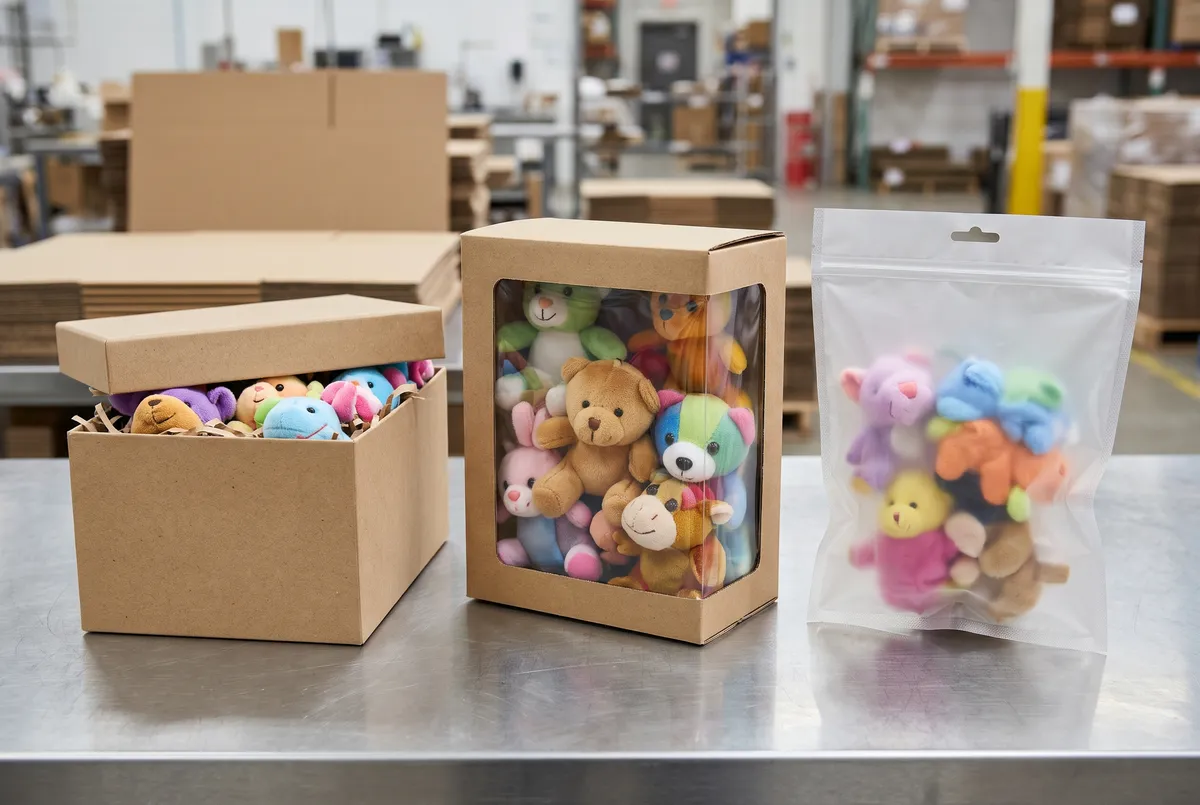
Frame this as your first irreversible decision. Amazon needs one sellable unit with one scannable outer identifier. In my experience, many teams accidentally design a catalog idea, not a compliant unit. I have watched this mistake trigger repack fees at receiving. Check Amazon FBA packaging and prep requirements before you quote packaging.
Answer three questions in order:
- Is the offer physical or virtual?
- If physical, who is the packer of record: origin factory or downstream repacker?
- What is the master bundle unit: rigid box, window box, fabric bag, PVC pouch, or other?
A same-item multipack is not a gift set. Both still need one mastered outer unit. Use this comparison:
| Path | Packer | Best use | Main risk |
|---|---|---|---|
| Factory hard kit | Origin factory | Physical toy set sold as one unit | Higher MOQ and dieline cost |
| Seller repack | Seller or 3PL | Mixed components at low volume | Labor variance and receiving defects |
| Amazon virtual bundle | Brand Registry seller | Listing-only offer | Not a physical bundle |
For this guide, use a factory-packed hard kit or gift set. It leaves China assembled. That gives you one master unit, one packaging owner, and one ASIN path. Virtual bundles are the non-physical alternative for Brand Registry accounts. They do not solve a physical toy set.
MOQ reality matters. Plush, wood, silicone, and accessories often come from different suppliers. I have seen 500-piece plush meet a 3,000-piece wood MOQ. That mismatch changes your sourcing plan before tooling starts.
Sensory check: seat every component in the master unit. Shake it. No rattle. Close it. No zipper strain. Press the tray. No lift.
Verification gate: Record Bundle Architecture Approved only when you have chosen the master unit, named the packaging owner, selected the ASIN path, and rejected alternatives with reasons.
⚠️ Experience Warning: One client chose seller repack to save $0.31 per unit. Tray lift caused 12 crushed corners per 1,000 units at receiving. We moved to a factory rigid box.
Step 2: Build the Component Compliance Matrix
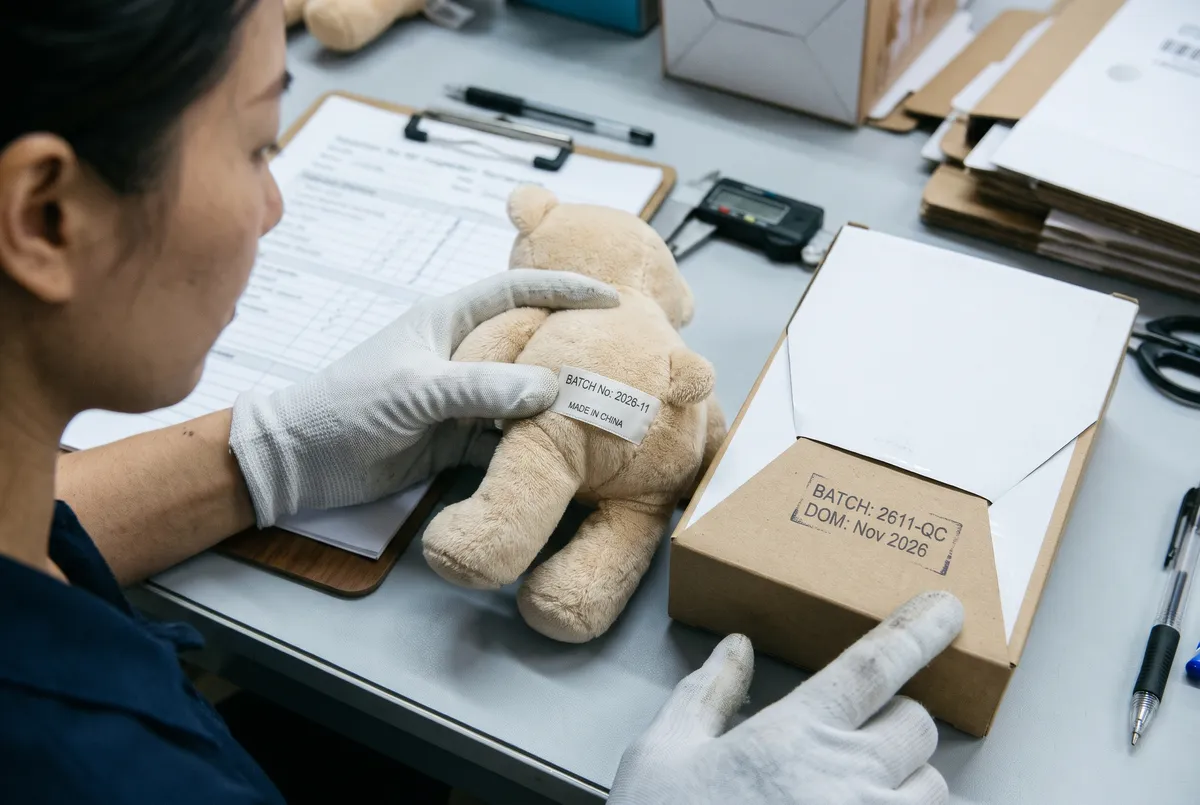
I build a component-by-component compliance matrix before tooling or bulk purchasing. This is the control point. Once the mold is cut, every missing line becomes costly to rework.
Create one row for every item in the bundle. List the material family: plush, wood, silicone, ABS, magnet, metal trim, or textile. Add the intended age grade. Note any small-part, choking, magnet, teether, or wood-part trigger.
Flag any accessory that changes the warning set or documentation burden for the full set. A small hard trim can force a different test scope. A silicone teether can pull an infant-adjacent bundle into a stricter review.
In a recent project, a client tested only the plush hero item. The bundle also held wooden blocks and a silicone teether. The accessory changed the warning language, age grade, and document package. Amazon then asked for separate documents and images for each item in the set. We lost two weeks.
Map your testing plan under ASTM F963-23 and CPSIA Section 103 tracking label rules. Book a CPSC-accepted, ISO/IEC 17025 accredited lab to test the final bundled unit. Then issue one Children's Product Certificate (CPC) that covers every toy and accessory in the box.
Place tracking labels on the product and packaging. Align the listing age grade with the test-document age grade. Keep one master CPC for the bundle, and be ready to upload separate test reports or product images per component if Seller Central asks for them.
I reviewed a plush, wooden block, and silicone teether set with Custom Packaging Solutions Engineer Chenyu Huang. He spotted the main risk right away. "The silicone teether pulls the whole bundle into the infant age group," he told me. "You cannot test the plush for ages 3+ and skip the teether."
He always sends the final packed bundle to the lab as one unit. That way, the lab checks every seam, label, and choke risk together.
Sensory check: the production sample must match the test sample. Same trim. Same seam. Same accessory count. Same label set.
Verification checkpoint: Freeze the test matrix, warning language, document owner, and sample configuration before tooling.
Safety note: This is not a legal determination. Confirm product-specific calls with an accredited lab and legal counsel.
Official source to verify: Amazon Children's Toys policy and TIC (Direct Product Validation) guidance.
⚠️ Experience Warning: I have seen a missing document owner delay a container by 11 days. Name one owner and one backup before you approve the matrix.
Step 3: Design the Packed Unit Around the Target FBA Size Tier
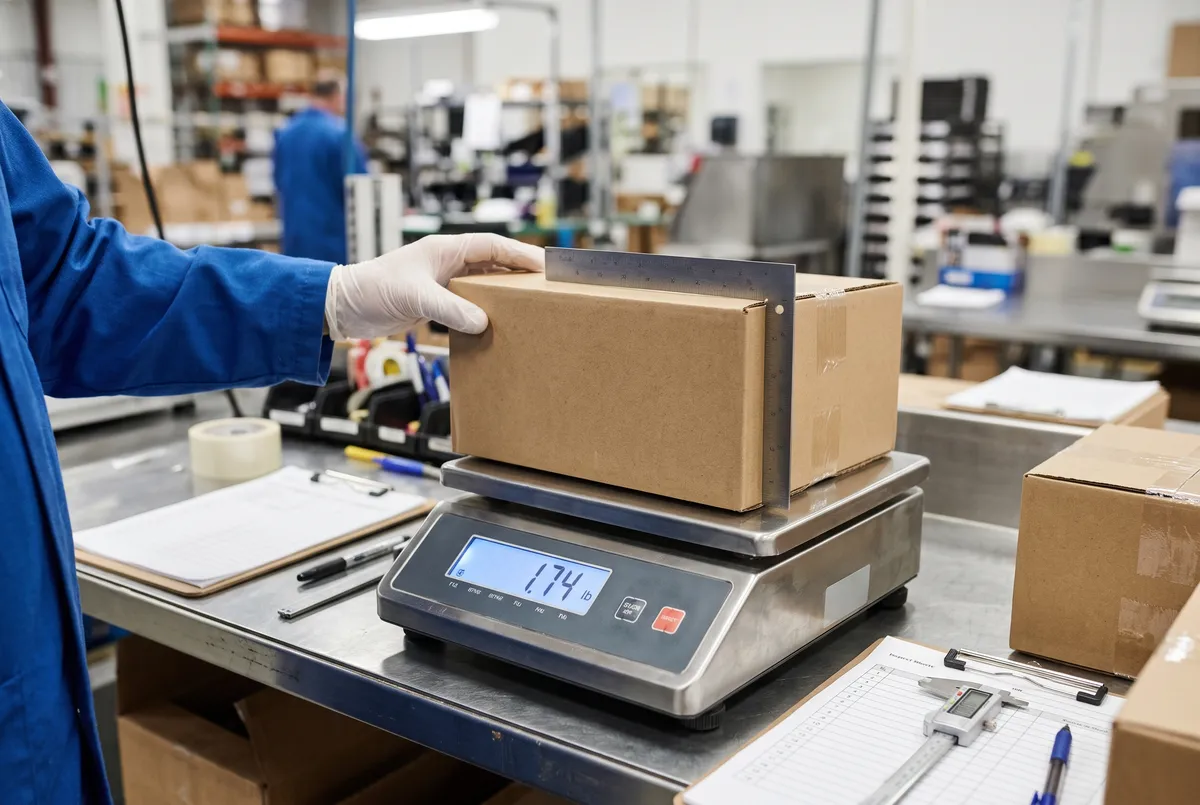
Before you approve the insert, tray, or outer package, design the final packed unit around the target FBA size tier. Check Amazon FBA product size tiers first. I treat the packed bundle as the SKU. Loose components do not matter to Amazon.
Measure the finished bundle, not the loose components. Place every piece in the final tray, bag, or carton. Then measure length, width, height, and packed weight three times. Lock inner-box dimensions and packed weight before tooling. A small increase on one side can cross a fee bracket. Check each dimension against the tier boundary, not just total volume.
Compare three options: rigid tray, lighter insert, and flexible bag or pouch. Use a retail-ready rigid or semi-rigid pack for structured gift sets. Test a compressible pouch or bag for soft-item bundles. Keep presentation, testing, and labeling valid. See our toy packaging guide for insert and box formats. For soft goods, review vacuum packing plush toys.
In our anonymized 3-piece plush-and-sensory set, the original pack used three loose pieces, two foam blocks, and US 3PL kitting. The redesign used a die-cut inner tray and factory-direct kitting.
| Metric | Original | Redesign |
|---|---|---|
| FBA fee | $5.92 | $5.45 |
| Receiving defects | 4.3% | 3.0% |
| Net margin | baseline | +$0.62/unit |
Switching to a die-cut tray cut the FBA fee by $0.47 per unit. Moving kitting from a US 3PL to our China line saved another $0.15 per unit. Receiving defects also dropped from 4.3% to 3.0%. In total, the brand gained $0.62 in net margin on every unit.
Sensory check: The tray sits flush. Carton panels do not bow. The plush compresses without permanent deformation. Nothing shifts when you shake it lightly.
Create a packaging sign-off sheet. Record target dimensions, target packed weight, and allowed tolerance. Example: 11.8 x 9.2 x 3.9 in, 1.74 lb, ±0.06 in per side, ±0.05 lb.
Verification checkpoint: The step is complete only when the packaging drawing, estimated FBA fee bracket, and sample photos are approved together.
⚠️ Experience Warning: I have seen a 0.3 in side increase push a bundle into the next fee tier. We caught it only at sample approval.
Step 4: Lock the Listing and Barcode Map
In my experience, this step prevents expensive inbound mismatches. Set up the bundle as its own sellable unit before you release mass production.
Open Seller Central and set up a dedicated ASIN for the bundle. A physical bundle needs its own unique UPC or GTIN, unless you hold a GTIN exemption. Never reuse the barcode from a single toy inside the set.
Screens vary by account and workflow version, so check each field by name and purpose rather than by one screenshot. Fill Model Number, Brand/Manufacturer Name, Caution Statements, and Age Attributes, and match them to the approved sample and test paperwork before you save.
Build a content checklist. The title, bullets, and images must show every included component. Do not hide an accessory. The hero and secondary images should clearly show the full set.
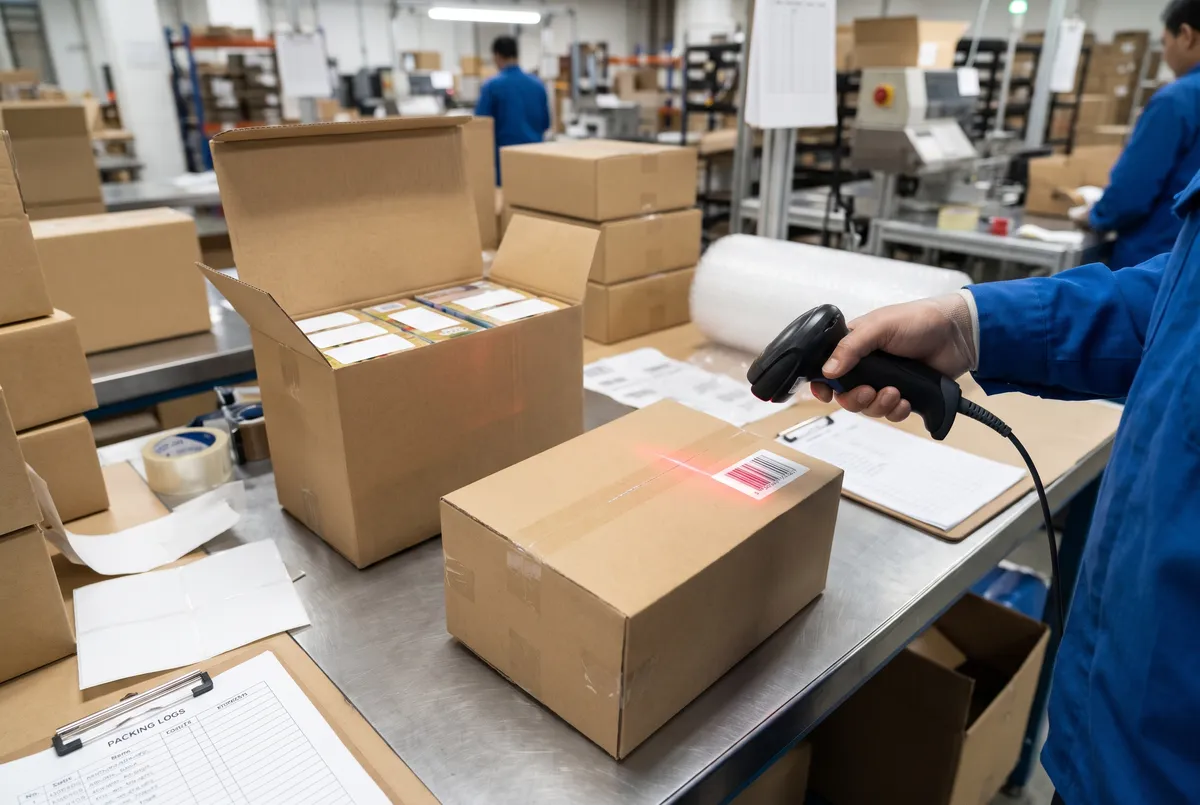
Create a barcode map. Place one scannable bundle identifier on the outer sellable package. Inner component barcodes must not face the scanner. Plan barcode placement at artwork stage, not on the line. In our pilot, a loose inner code caused a double scan on 3 of 50 cartons. We moved the inner label behind the tray.
Sensory check: Scan the outer pack once. The scanner should read the outer code cleanly. It must not catch an inner barcode.
Catalog truth and packaging truth must match. The PDP, test paperwork, and physical pack are one record.
Verification checkpoint: Run a pre-production listing audit. Confirm attributes, images, warnings, and barcode plan match the approved sample. Sign off before the bulk run.
🧠 Author's Take: I treat this as a release gate, not a marketing task. One clean scan saves more money than one clever bullet.
Step 5: Assemble and Seal the Master Bundle Unit
Convert approved components into one retail-ready master unit on the factory line. In my experience, this is where a good design becomes a clean, scannable SKU or a receiving defect. Run this at origin, not in a U.S. 3PL repack cell. I stand at the end of the line and watch the full sequence.
- Count inbound components against the BOM before loading.
- Load the tray or bag in the approved order. Primary method: boxed hard kit with tray or insert. Alternative: flexible bag or pouch for soft bundles.
- Confirm the final count against the BOM.
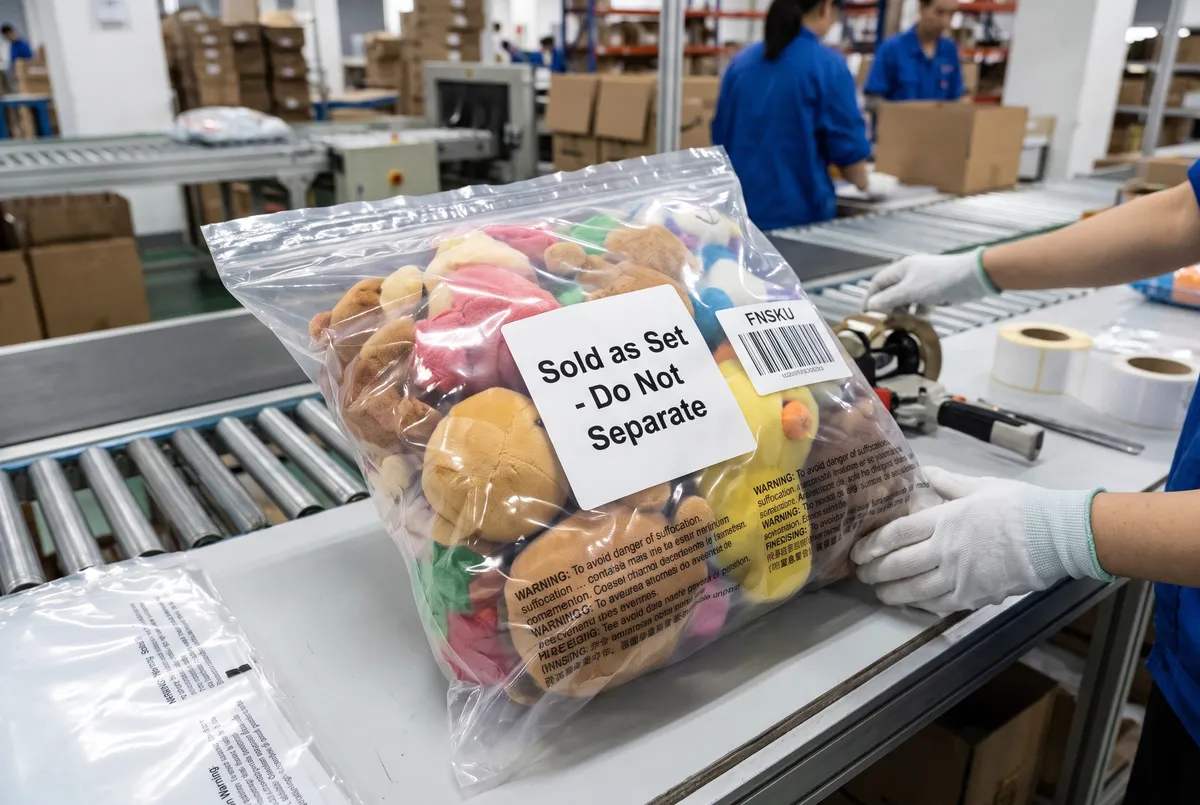
- Cover inner scannable barcodes. Place the FNSKU over individual component barcodes where relevant. Otherwise hide internal barcodes from the scan path.
- Apply the outer FNSKU or bundle identifier in the approved location.
- Apply Sold as Set: Do Not Separate messaging.
- Add outer-bag warning statements if the chosen format triggers them.
- Seal the master unit.
- Scan test and photograph the sealed unit.
Press each component into the tray. The insert should hold it without force. For soft bundles, slow the bag workflow. Watch warning placement and barcode readability. Amazon's poly-bag rule applies here: any bag with an opening 5 inches or larger needs a suffocation warning printed on it, and the bag itself must be at least 1.5 mil thick.
Check the current Amazon FBA packaging and prep requirements on your policy-check date, and verify the polybag and warning rules then.
Our line lead checks every first-article bag by hand before mass packing starts. She runs a thumb across each FNSKU edge to catch air bubbles or lift. On a recent soft-bag run, a 2 mm wrinkle caused 1 in 25 scan failures. Adding a flat-edge wipe and a second-person scan check fixed the issue on the spot. The scanner reads the outer code in one pass.
Verification checkpoint: Do not release production until a signed first-article sample passes count, seal, and scan checks.
Packing soft goods? Read our guides on Amazon FBA plush packaging and types of toy packaging.
Step 6: Release the Shipment Only After the QC Gate
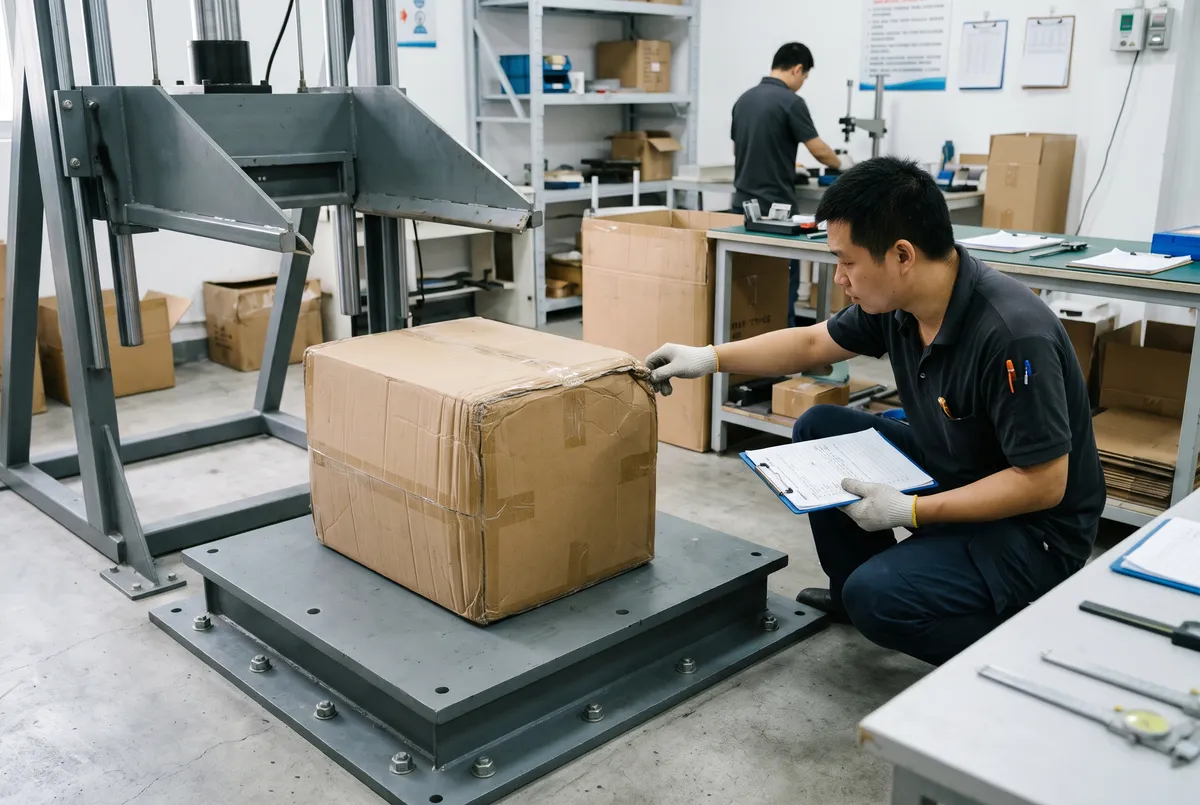
Validate the finished bundle as a shippable Amazon unit before container pickup. In our last pilot, I held a pickup until the QC package passed as one record. Start with first-article sign-off. Confirm the approved sample matches the production pack: same tray, count, insert, warnings, and label position.
Run inline count checks during packing. Pull finished units from the line at fixed intervals. Count every component against the BOM.
Then run a final random inspection with AQL logic. For a 500-unit lot, I use general inspection level II with AQL 0 for critical defects, AQL 1.0 for major, and AQL 2.5 for minor. Tighten the major AQL to 0.65 if the set contains small accessories.
Next, scan every outer barcode in the sample. A clean pass reads once. It must not catch an inner code. Then verify carton dimensions and packed weight against the approved spec. Record the exact figures.
Finally, run a drop-test or transit simulation for the pack format. Use an ISTA 3A parcel drop test as in-house screening before pickup; if a buyer or retailer needs certified transit data, book the same test at an ISTA-accredited third-party lab and keep that report.
The purpose is simple: confirm the set stays intact as one sellable unit through handling. A pass looks like this: no tray shift, no burst seal, no crushed corners, no loose accessories, no barcode damage. Shake the pack. A pass has no rattle.
Catch bundle separation, barcode exposure, tray collapse, and mislabeled warnings here. The factory is still the cheapest place for that catch, not the FBA dock.
Micro-outcome checklist:
- Packed-unit dimensions confirmed.
- Outer labels confirmed.
- Count integrity confirmed.
- Photo record archived.
- Carton manifest approved.
- Shipment released to freight partner or Send to Amazon workflow.
Case-packed brands should add carton-level count and case-mark checks. Individually prepped brands should inspect every sellable unit's FNSKU.
Verification checkpoint: Approve container pickup only after the QC package is complete. Operations and the compliance owner must both sign off.
⚠️ Experience Warning: In one pilot, a 4 mm tray gap caused a corner split after six drops. We reset the tray and passed the next run. Do not waive this gate for pickup pressure.
Troubleshooting
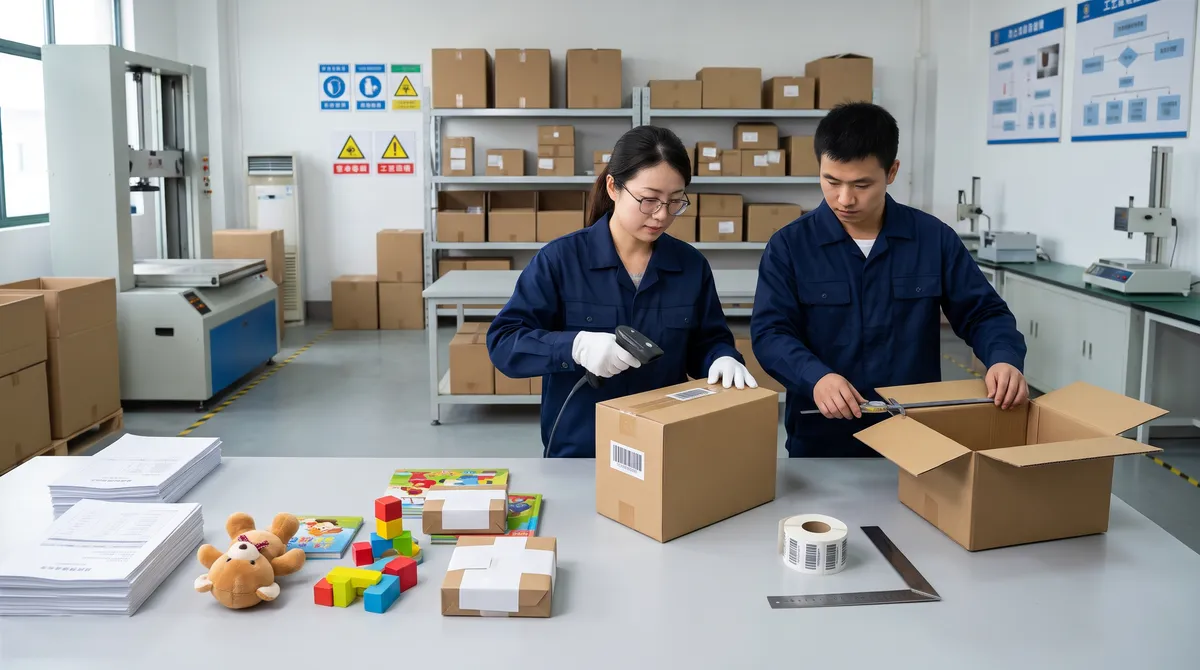
Most inbound bundle defects start when the set stops acting like one scannable unit. In our packaging audits, exposed inner barcodes and loose parts caused most receiving confusion. Fix this at the dieline stage, not at the dock.
Amazon receives components as separate items or mis-scans the set
Likely cause: Inner barcodes face the scanner, the seal is weak, or the “sold as set” message is unclear.
Fix: Redesign the barcode map to meet Amazon’s FBA barcode rules. Hide inner codes. Strengthen the seal. Move labels away from seams. Re-run scan checks on sealed first-article units.
The bundle’s compliance packet fails review
Likely cause: Documents or images do not map to each component, age grades mismatch, or the test sample differs from the production build.
Fix: Rebuild the component matrix. Update photos. Revalidate through the approved compliance path.
A small accessory forces a stricter warning or older age grade
Likely cause: Design teams added “just one extra piece” late in development.
Fix: Remove or enlarge the part. Split the SKU. Or revise the warning, listing, and test path.
The finished set tips into a worse FBA fee bracket
Likely cause: Tray thickness, void space, or oversized presentation packaging pushing the unit into a worse FBA fee band.
Fix: Compress packaging. Redesign insert geometry. Switch format if product protection still passes.
🛡️ Prevention: Run one sealed scan, shake, and packed-size check before bulk release. I have seen this catch scan and fee failures while fixes are still cheap.
People Also Ask About Bundle Toys for Amazon FBA
1. What is a toy bundle on Amazon FBA?
A toy bundle on Amazon FBA is a physical set of two or more products packed at origin and sold as one sellable unit under a single ASIN and one scannable outer barcode. It is different from an Amazon virtual bundle, which only groups listings and ships as separate units, so it does not solve a physical toy set.
2. What is the MOQ for custom bundled toys from China?
Most bundled toy sets start at 300–500 units per bundle. Mixed-material sets are limited by the highest component MOQ, so a small plush run may still need to match a much larger wood or tooling run before production starts.
3. Can a mixed-material bundle ship under one CPC?
Yes. Test the final packed bundle as one unit and issue one Children's Product Certificate (CPC) that covers every component. Be ready to upload separate test reports or product images per component if Seller Central asks for them.
4. Why do bundles get repack fees at Amazon receiving?
Repack fees usually mean the set stopped acting like one scannable unit: an inner component barcode faced the scanner, the seal was weak, or the "sold as set" message was unclear. Fixing the barcode map and seal at the dieline stage prevents most of them.
Conclusion: Confirm the Unit, Then Move
Your bundle is no longer a loose pile of SKUs. It is one compliant, scannable, margin-aware retail unit. That shift is the whole win.
Now run three moves in order. First, send the BOM, your target fee tier, and a rough bundle concept for packaging review. Second, request a pilot sample and the compliance matrix. Third, validate the final policy details in Seller Central before you cut the mass-production PO.
In our last pilot, this exact sequence caught a fee-tier jump while the fix still cost nothing.
For the upstream work, read our toy sourcing guide and the custom toy manufacturing walkthrough. If Amazon is a new channel, start with sell toys on Amazon.
Policy check: Our team checked all Amazon Seller Central and CPSC links in November 2026. Amazon updates FBA fee tiers and toy rules often. Always check your active Seller Central account before you place a bulk order.
Disclosure: LeelineToys provides factory-direct toy manufacturing, kitting, and FBA prep. We earn revenue from those services. Read this as an operator's playbook, not a neutral third-party review.
Your next move: contact LeelineToys for factory-direct toy bundle manufacturing, kitting, and FBA prep support, or review our Amazon FBA toy manufacturing service. If you are building the brand side too, see our Amazon toy brand playbook. Send the BOM today, not after the mold is cut.